Open the day
Daily planning brings in what is left from yesterday and asks what matters most today. Drag a task onto the calendar and it gets its own hour, also in Apple Calendar.

Mihaly is a day planner for macOS. Each day opens with a short plan and closes with an honest look at what you got done. At the end of the week you see the whole week the same way.
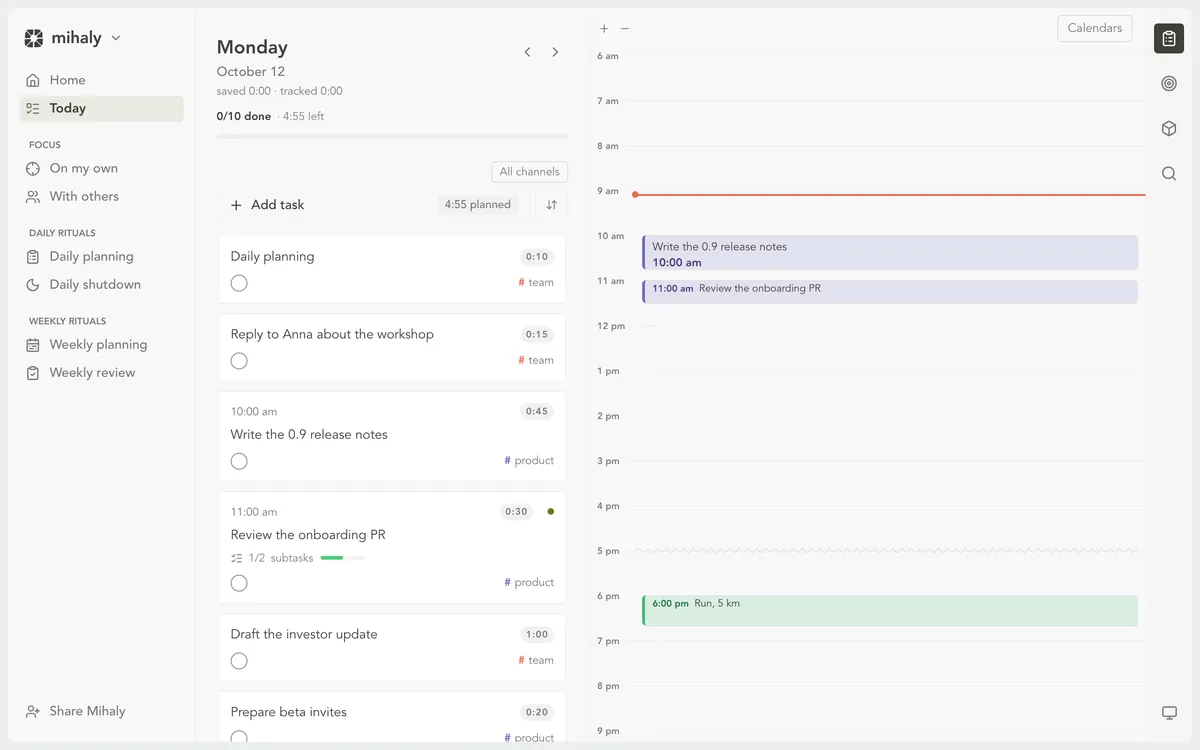
Daily planning brings in what is left from yesterday and asks what matters most today. Drag a task onto the calendar and it gets its own hour, also in Apple Calendar.
Start a focus session from a task or from free time on the calendar. The player folds into a small card with the timer, pause and volume, and Tune opens the sound in the same card: modes from Focus to Calm, nature and noise layers, a pad to shape it. Focus and Dynamic play our own music, recorded in Ableton Live. When the time is up, you decide whether the task is done or needs another round.

Some work goes easier when another person is at their desk too. With others shows who in your community is starting a session now and who has a free slot, so you can join or book a time and run the same session side by side. It is not in the current release yet.

A task can go to Claude Code or Codex on your own subscription. It runs in its own copy of the repository, asks on the card when it needs you, and comes back with a report you accept or return.

Shutdown puts the day in front of you: the hours you worked, how they compare with your estimates, and every task you finished. Write a line about the day, keep what stood out as a highlight, and move what is left to tomorrow.

The weekly review opens with your wins: each task you closed, day by day, and the hours each day held. Your objectives and the lessons you write down sit next to them, so the next week starts from what actually happened.

Signed and notarized by Apple. Drag it to Applications; updates arrive inside the app.